
Technology has transformed the modern workplace, making it easier than ever to complete tasks, collaborate with teams, and manage projects from anywhere. However, having access to technology alone is not enough. To truly maximize efficiency, professionals need the best productivity apps and tools that simplify daily work, reduce repetitive tasks, and help them stay organized.
Whether you work remotely, run a business, manage projects, or simply want to accomplish more in less time, the right productivity tools can significantly improve your workflow. From AI-powered assistants to project management software and cloud storage solutions, these applications help professionals save time and focus on high-value work.
In this guide, we’ll explore the best productivity apps and tools that every professional should consider using in 2026.
Why Productivity Apps Matter
Productivity apps are designed to help users manage their work more efficiently. Instead of spending hours on repetitive tasks, professionals can automate processes, organize schedules, communicate better, and collaborate seamlessly.
Some of the biggest benefits include:
- Better time management
- Improved team collaboration
- Faster communication
- Organized project tracking
- Reduced manual work
- Increased overall productivity
Using the right combination of tools allows professionals to work smarter rather than harder.
1. ChatGPT – AI Assistant for Everyday Work
Artificial intelligence has become an essential part of modern productivity. ChatGPT helps professionals complete tasks faster by generating ideas, drafting emails, summarizing documents, solving problems, and assisting with research.
Instead of spending hours brainstorming or searching for information, users can get quick, detailed responses that improve efficiency.
Key Features
- AI writing assistance
- Research support
- Email drafting
- Brainstorming ideas
- Document summarization
- Learning assistance
Professionals across industries use AI assistants to save time while maintaining high-quality work.
2. Notion – All-in-One Workspace
Notion combines note-taking, project management, databases, calendars, and collaboration into one platform. It is ideal for professionals who want everything organized in one place.
Whether you’re planning projects, tracking goals, or managing a team, Notion offers flexibility through customizable templates.
Benefits
- Project planning
- Team collaboration
- Knowledge management
- Task organization
- Meeting notes
- Personal productivity
Its clean interface makes managing both personal and business tasks simple.
3. Trello – Visual Project Management
Trello uses a simple drag-and-drop board system that makes project management easy for individuals and teams.
Each project is divided into boards, lists, and cards, allowing users to monitor progress visually.
Best For
- Marketing teams
- Freelancers
- Software development
- Personal planning
- Business management
Trello is especially useful for professionals who prefer visual organization.
4. Google Drive – Cloud Storage and Collaboration
Google Drive allows professionals to store files securely while accessing them from any device. It also enables real-time collaboration through Google Docs, Sheets, and Slides.
Instead of emailing multiple file versions, teams can work together on a single document simultaneously.
Advantages
- Cloud storage
- File sharing
- Automatic backup
- Real-time editing
- Cross-device access
Google Drive has become an essential productivity tool for remote teams.
5. Todoist – Smart Task Management
Keeping track of daily responsibilities becomes easier with Todoist. Users can organize tasks into projects, assign deadlines, and set reminders.
Professionals can prioritize work without feeling overwhelmed by large workloads.
Features
- Daily planning
- Task reminders
- Priority levels
- Productivity tracking
- Team collaboration
Todoist helps users stay focused on important work.
6. Grammarly – Better Business Communication
Strong communication is essential in every profession. Grammarly improves emails, reports, blog posts, proposals, and presentations by correcting grammar and enhancing clarity.
It also suggests better wording and adjusts tone based on the audience.
Main Benefits
- Grammar correction
- Spelling checks
- Tone improvement
- Writing suggestions
- Professional communication
Professionals can communicate with greater confidence using Grammarly.
7. Canva – Create Professional Designs
Visual communication is becoming increasingly important in business. Canva allows professionals to create presentations, social media graphics, infographics, and marketing materials without advanced design skills.
Thousands of templates make designing fast and simple.
Perfect For
- Social media posts
- Business presentations
- Flyers
- Marketing graphics
- Resumes
- Reports
Canva saves both time and design costs.
8. Microsoft OneNote – Organize Everything
OneNote acts like a digital notebook where users can save ideas, meeting notes, research, and project information.
Unlike paper notebooks, everything remains searchable and synchronized across devices.
Features
- Digital notebooks
- Voice notes
- Images
- File attachments
- Cloud synchronization
Professionals never lose important information again.
9. Zoom – Virtual Meetings Made Easy
Remote work continues to grow, making reliable communication tools essential.
Zoom allows professionals to hold virtual meetings, webinars, interviews, and training sessions with ease.
Features
- HD video calls
- Screen sharing
- Meeting recording
- Team collaboration
- Virtual backgrounds
Zoom remains one of the most trusted online meeting platforms.
10. Bitwarden – Password Management
Managing dozens of online accounts is impossible without secure password storage.
Bitwarden securely stores passwords, generates strong credentials, and protects sensitive information using encryption.
Benefits
- Password vault
- Secure sharing
- Password generator
- Cross-platform support
- Multi-device synchronization
Strong password management reduces cybersecurity risks significantly.
Tips for Choosing the Best Productivity Apps and Tools
Not every app is suitable for every professional. Before installing a new tool, ask yourself:
- Does it solve a real problem?
- Is it easy to learn?
- Does it integrate with my existing workflow?
- Is my data secure?
- Does the free version provide enough features?
Choosing a few high-quality productivity tools is far more effective than installing dozens of unnecessary applications.
How Productivity Apps Help Professionals Save Time
The biggest advantage of using productivity tools is automation. Instead of performing repetitive tasks manually, professionals can automate scheduling, document creation, communication, reminders, and collaboration.
These tools also improve organization by keeping files, projects, calendars, and notes in one place. Teams can collaborate more efficiently, reducing delays caused by email chains or outdated file versions.
AI-powered applications further increase efficiency by assisting with writing, research, brainstorming, and data analysis. This allows professionals to spend more time on strategic work instead of repetitive administrative tasks.

Conclusion
Using the best productivity apps and tools can dramatically improve the way professionals work. Whether you’re managing projects, organizing tasks, creating content, or collaborating with a team, the right software helps you save time, reduce stress, and increase efficiency.
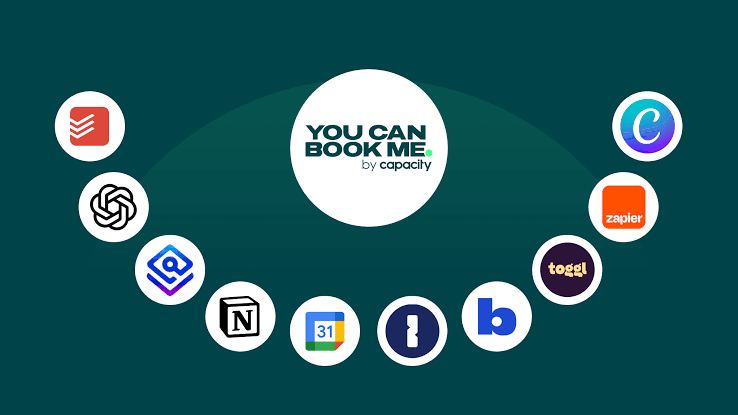
Applications like ChatGPT, Notion, Google Drive, Trello, Todoist, Grammarly, Canva, OneNote, Zoom, and Bitwarden offer practical solutions for modern professionals. By selecting tools that fit your workflow and using them consistently, you can work smarter, stay organized, and achieve better results in less time.
As technology continues to evolve, productivity apps will become even more intelligent, helping professionals focus on creativity, decision-making, and business growth instead of repetitive tasks.